The weight for Homework and Classwork grades cannot exceed 10% of student's final grade. Please enter the student's grade out of 10%.
Weighting Error
The weight for Sessional tests including the Practical cannot exceed 20% of student's final grade. Please enter a score of 20 or less.
Weighting Error
The weight for Practical, Classwork, and Homework cannot exceed 20% of student's final grade during the intervention. Please enter a score of 20 or less.
Weighting Error
The exam grade cannot exceed more than 40% of the student's final grade. Please enter a score of 40 or less.
Weighting Error
Mid-term and/or Course Work grades cannot exceed 25% of student's final grade. You must enter a score of 25 or less
Weighting Error
You must enter a number in this field. If the student was absent please enter -1
Weighting Error
Exam grades for sixth form students cannot exceed 50% of student's final grade. Please enter a score of 50 or less.
Conduct is not recognized. Conduct must be represented with any one of the following letters
E which represents Excellent G which represents Good S which represents Satisfactory F which represents Fair U which represents Unsatisfactory P which represents Poor D which represents Disruptive I which represents Intolerable
Cannot Add Parent Here
Since each student is assigned a parent, and the parent cannot exist independent of the student, Parents can only be added from students' profile. Please go to the Students Home Page and find the student whose parent you would like to add.
Delete Warning
Once you delete the parent, you cannot recover the information. if you are unsure of what you are doing please press the close the alert and press cancel. If you do not know how you got her please seek assistance from the website administrator.
Logical Error
You indicated that the user is not the Head of Department of the Department to which he/she was assigned. However, you selected that the official title of the user is that he/she is an Head of Department. This is clearly a logical error. Please correct before continuing.
Logical Error
You indicated that the user is the Head of the Department to which he/she was assigned. However, you did not select the official title of the user as Head of Department. This is clearly a logical error. Please correct before continuing.
Delete Warning
Once you delete this user, the user data cannot be restored. Be sure that you know what you are doing before you continue.
Page Access Violation
You are not permitted to see this page. You will be redirected to the home page
Warning
Download the New School App - TalsoftsSAS 2.0.15
Publication Date: Thursday June 22, 2017 02:09:49 pm EST Last Updated: Thursday September 6, 2018 10:29:41 pm EST Publisher: Admin User
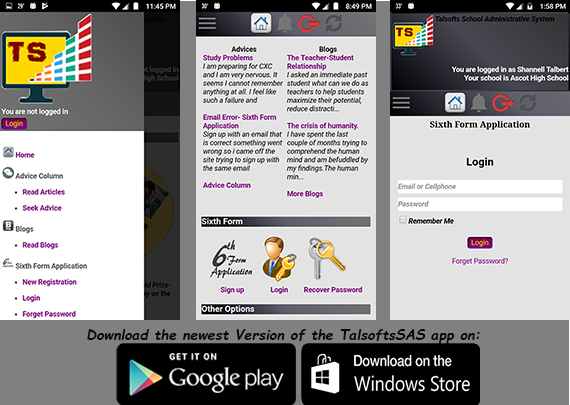
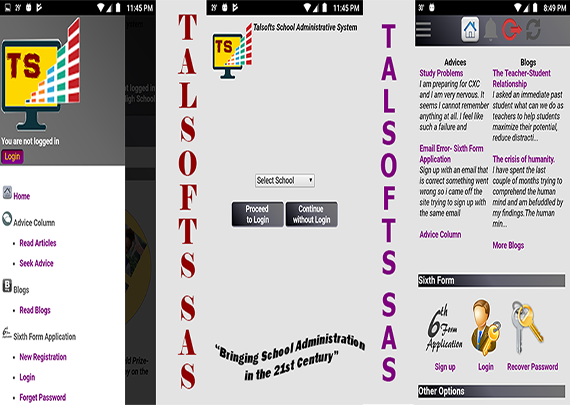
The newest version of the TalsoftsSAS app has been released in google play and windows stores. TalsoftsSAS is used by the Ascot High School administration to simplify and streamline administrative functions.
The goal of the app is to enhance communication among the school stakeholders. With this in mind, most of the app features are geared towards realizing this goal. Hence, all members of the school community may download the app and obtain a username and password from Mr Talbert so they can unlock the full capabilities of the app. Other well wishers of our school or those who just like the app may continue to use the app without authentication credentials.
App Features
The app is novel. It has been redesigned interms of layout, features and functionality so that it may be much easier to use with a more eye-pleasing graphical user interface. The app allows users to do some of the following (To view a more comprehensive outline of the app capabilities click on the About App link in the menu section of the app):
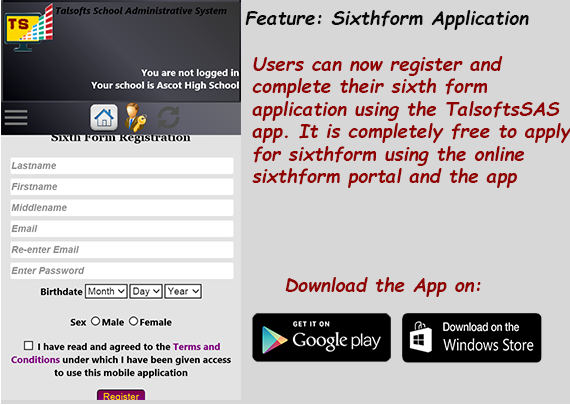
Register and apply for sixthform
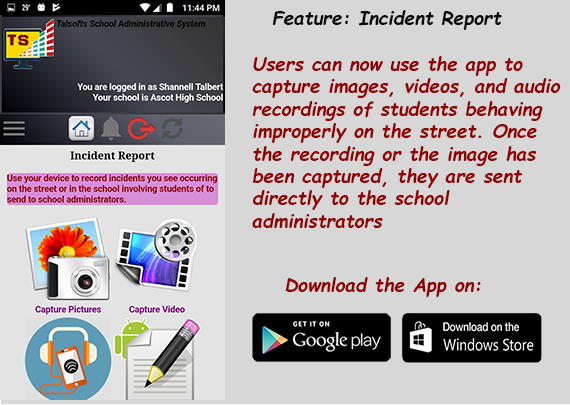
Record incidences of fights and quarrels by Ascot students on the street and send these recordings directly to school administrators
Read blogs, news, advice column, and other interesting readings
Subscribe for the News SMS Alert System (Talsofts Function)
Publish news, blogs, and responses to advice issues (authenticated users only)
Send messages to particular sections of the school administration
Download pictures from the news picture display
Check students attendance, performance and behaviour records (authenticated users only)
Check Parent/Teacher conference information (authenticated users only)
Get the App
To get the app, download it from the google store or the windows store by typing TalsoftsSAS in the store search engine on your Android or Windows devices.

 You are not permitted to see this page. You will be redirected to the home page